Introducing CloudPost: privacy-first iCloud Mail for AI assistants
There's a fun demo of me talking to Grok in my Tesla about my emails. Which, admittedly, is a slightly ridiculous way to introduce an email tool.
But the reason I built CloudPost was much less flashy: I wanted ChatGPT to help me make sense of my inbox.
I've had my email address for a long time. Over the years, it's accumulated a barrage of spam, newsletters I no longer read, and mailing lists I barely remember joining. In my experience, iCloud's spam filtering is pretty poor, and sorting through everything manually isn't how I want to spend my time.
I wanted to ask for an overview of my emails, quickly spot the newsletters I don't want any more, and get help unsubscribing. Not a new email client. Just a better way to deal with the one I already have.
What is CloudPost?
CloudPost is a remote Model Context Protocol (MCP) server that connects iCloud Mail to clients such as ChatGPT and Claude. MCP gives an assistant tools it can use to work with services outside the chat; in this case, your mailbox.
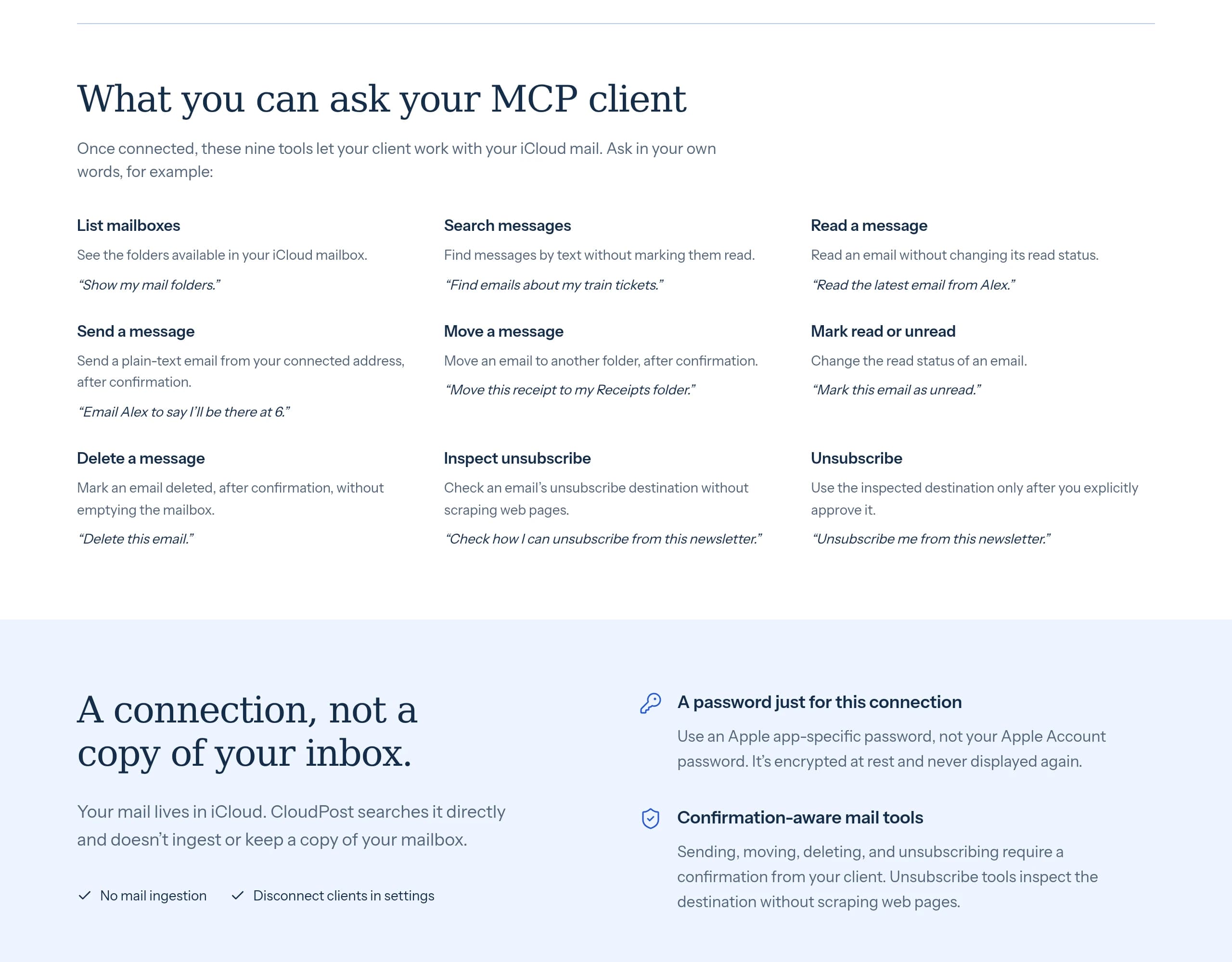
It lets a connected client:
- List your mail folders, search messages, and read emails.
- Send email, move messages between folders, and mark them read or unread.
- Mark messages for deletion.
- Inspect unsubscribe options and submit confirmed unsubscribe requests.
Searching and reading don't automatically mark messages as read, either. Asking for a summary shouldn't quietly change the state of your inbox.
An overview first, unsubscribing second
The workflow I'm interested in starts with understanding what's there, rather than immediately giving an assistant permission to clear everything out.
Something like:
Give me an overview of this week's emails. Separate the things that need my attention from newsletters and promotional mail. Don't change anything yet.
Then:
Show me the recurring newsletters and their unsubscribe options so I can decide which ones to keep.
CloudPost separates inspecting an unsubscribe option from executing it. That means a client can check the destination first, before submitting a confirmed request. It uses the email's unsubscribe headers rather than scraping web pages.
This isn't a replacement for a spam filter, and unsubscribing from a legitimate newsletter isn't the same thing as dealing with a suspicious sender. I wouldn't blindly follow unsubscribe links in obvious spam. The useful bit is making the subscriptions I can actually do something about easier to find and review.
A connection, not another copy of your inbox
Email is personal. Connecting it to an AI assistant should come with a clear explanation of what gets access to what, not just a reassuring badge saying “private”.
CloudPost talks directly to iCloud over IMAP and SMTP, using encrypted connections. There's no mailbox ingestion and no separate search index. It doesn't import your mail into another database just so you can ask questions about it; iCloud remains the source of truth.
To connect, you create a dedicated Apple app-specific password, rather than sharing your main Apple Account password. CloudPost stores the iCloud credentials encrypted at rest and uses them on the server to connect to Apple. Your app-specific password isn't handed to the MCP client.
Instead, you authorise the client through OAuth. You can disconnect connected applications from CloudPost's settings, and you can revoke the dedicated app-specific password with Apple if you want to remove CloudPost's access entirely.
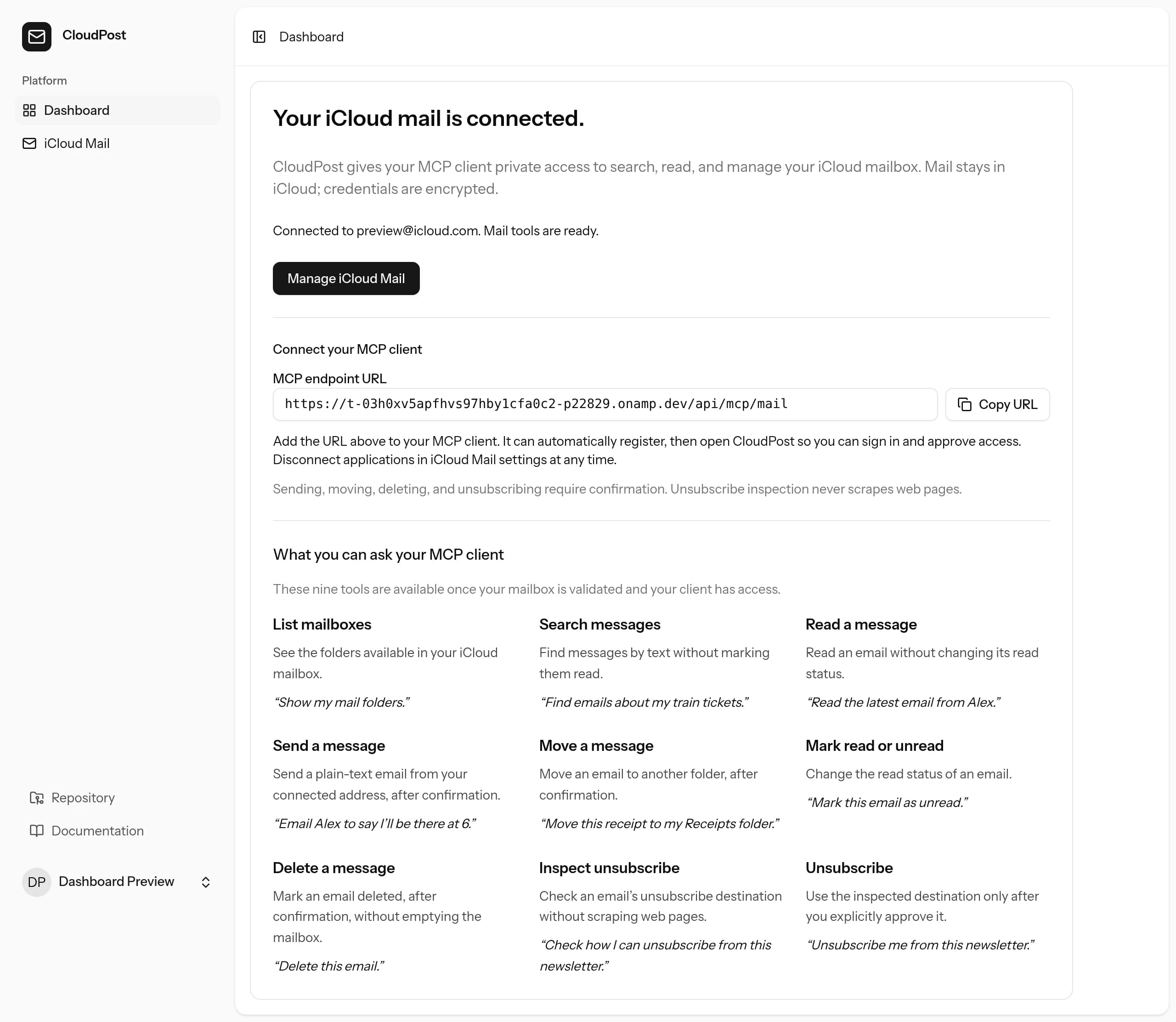
The dashboard above uses a sample account, not my inbox or real email content.
There's an important boundary here: no mailbox ingestion doesn't mean your emails never leave iCloud. When you ask a client to read a message, CloudPost fetches it and returns it to that client. Your chosen assistant's privacy and data-retention policies still matter. And encrypted storage isn't zero-knowledge encryption: CloudPost needs to decrypt the credentials to connect to Apple.
For me, privacy-first means keeping the extra data stored by this connection to a minimum, keeping Apple credentials away from clients, and being honest about those boundaries.
Confirmation, with an important caveat
Sending, deleting, moving messages, and unsubscribing require an explicit confirmation flag from the client.
That is a client-side consent assertion, not proof that a human clicked an approval button. CloudPost can require the flag, but it can't guarantee that the client actually asked you. The client you connect, and how it handles approvals, are part of the trust decision.
Email content is also treated as untrusted input. A message in your inbox is something to read, not an instruction from you to send mail, delete messages, or follow a link.
And yes, the Tesla demo
Talking to Grok in my Tesla about my emails is a fun demonstration of the idea. You can see the demo on X.
But the everyday version is what I'm most interested in: opening ChatGPT, getting a useful overview, and spending less time wading through years of inbox noise. The car is the fun bit. A quieter inbox is the point.
If that sounds useful, take a look at cloudpost.ing. I'd love to hear what you'd want to ask your inbox.
I've also shared it on Hacker News and LinkedIn if you'd like to join the discussion.